Visual AI Workflows: Automations Your Whole Team Can Actually Read
July 31, 2026 (2m ago)
Every team that automates anything with an LLM eventually hits the same failure mode. Someone wires up a triage script, a summarizer, a routing bot — it works, it saves two hours a day, and it lives in a .py file with a LangChain chain only one person has ever actually read. Nobody touches it because nobody else understands it. When it breaks, the fix isn't "read the docs." It's "wait for that one engineer to have twenty free minutes."
That's not a documentation problem you solve by writing more docs. Docs drift; code doesn't wait for them. The fix is making the automation itself legible — so the workflow and its explanation are the same artifact, and anyone who can read a flowchart can tell you exactly what it does.
The Automation Nobody Else Can Open
Picture the usual setup: a support-ticket triage bot. It classifies incoming tickets, looks up order status for billing questions, files everything else in the tracker, and drafts a reply. Perfectly reasonable logic — maybe forty lines of Python calling an LLM API, a couple of if statements, an HTTP call out to an internal service.
Now picture the support lead trying to answer "why did this ticket get auto-replied instead of escalated?" without pinging engineering. They can't. The logic that decides how their team's tickets get handled is invisible to everyone who isn't comfortable reading a repo. That's backwards — the people closest to the outcome have the least ability to inspect the process producing it.
Same Logic, as Nodes Instead of Code
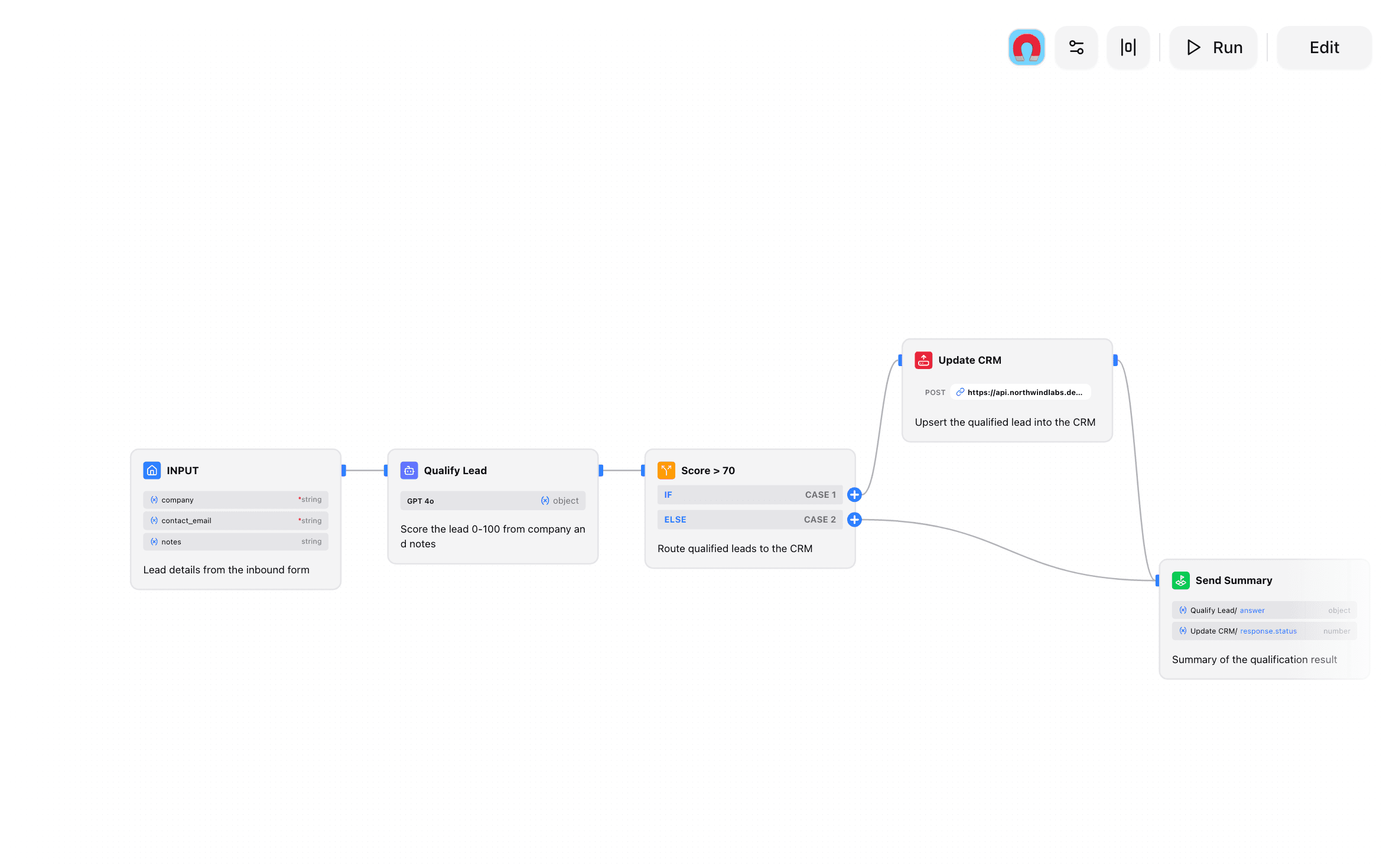
Wirebase's workflow builder expresses that exact triage automation as a wired-together graph on a canvas instead of a script. There are seven node kinds, and that's the whole vocabulary: Input (where data enters), LLM (a model call), Condition (if/else-if/else branching), Tool (calls an MCP tool — a billing lookup, a database query, whatever's connected), HTTP (a raw request to an external service), Template (fills in a text template from prior nodes' outputs), and Output (what the workflow returns). Nothing hidden behind a framework abstraction — every step you'd write in code has a box on the canvas with the same job.
A support-ticket workflow, node by node
Seven node kinds cover this: Input, LLM, Condition, Tool, HTTP, Template, Output. Anyone on the team can click through this canvas and know exactly what happens to a ticket — no repo access required.
The Condition node is doing exactly what an if/elseIf/else block does in the script version — evaluating a branch and routing execution down one path or another. The Tool node is the function call to the MCP client. Nothing about the logic changed; only the medium it's expressed in did. A support lead who's never opened a terminal can trace this top to bottom and know precisely what happens to a ticket classified as "billing" versus "general."
The point isn't hiding complexity behind a "no-code" label — it's keeping every step visible instead of collapsed into a framework's internals. Reading the workflow is reading the logic.
Wire It, Inspect It, Publish It
Building one is four steps: drag nodes onto the canvas, connect their inputs and outputs, test a run, publish. While it's running — during testing or in production — each node reports its own status, and you can click into any single node to see exactly what it received and what it returned.
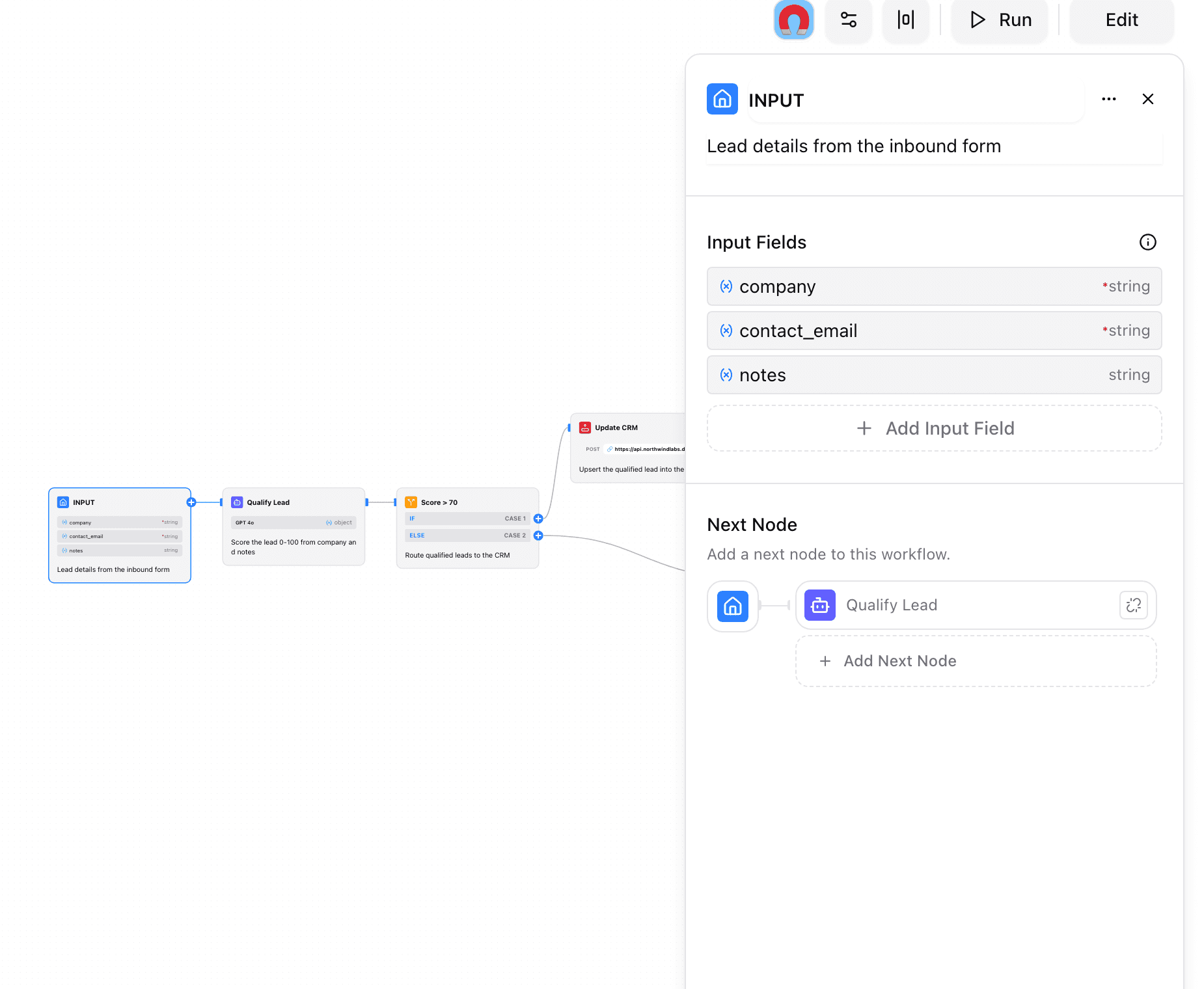
That inspector view is the part that actually replaces debugging-by-print-statement. When a run misbehaves, you don't add logging and redeploy — you open the node that misbehaved and look at what it actually saw. The execution engine underneath handles the parts you'd otherwise hand-roll yourself: topological ordering of nodes based on their dependencies, branch synchronization when a Condition node splits execution, and cycle detection so a bad wiring can't infinite-loop in production.
Publishing Turns It Into a Tool, Not a Deploy
Here's the part that matters more than the canvas itself: a published workflow becomes a callable tool in chat, invoked the same way you'd invoke a custom agent — type @ and mention it by name. There's no separate deploy pipeline, no new endpoint to stand up, no on-call rotation for "the triage script." Publishing a workflow is shipping it. Anyone with access to the workflow can call it from a conversation, immediately, with the same mention system that surfaces agents, tools, and MCP servers — and, same as those, only the mentioned workflow's definition goes to the model, not the whole org's automation library.
That also means editing it is a canvas change, not a pull request. Rewire the Condition node's threshold, swap which Tool node fires on "technical," republish — done. No git diff to review before anyone can tell what changed; the new wiring on the canvas is the diff.
It Still Shows Up Where Governance Lives
Making an automation visual doesn't mean it becomes invisible to everyone else. Every workflow create and update is a first-class entry in the same organization audit log that tracks agent creation and API key changes — workflow.update, with the user, timestamp, and outcome attached. A workflow anyone can read is also a workflow anyone with audit access can see got changed, by whom, and when. Legibility and accountability turn out to be the same property, looked at from two directions.
The Team Test
Here's a rough gut check for whether an automation belongs in a workflow canvas instead of a script: could the person most affected by its output explain what it does, without asking an engineer? If the honest answer is no, that's usually a sign the logic outgrew being unreadable to the people who depend on it — not a sign it needs to be more complex.
None of this requires giving up on code entirely — Tool nodes still reach into MCP servers built the normal way, and nothing stops a developer from building the connective tissue underneath. It just means the workflow the whole team actually looks at doesn't require a Python interpreter to understand.
If your team's automations currently live in a script only one person has opened, it's worth seeing what they look like wired up on a canvas instead, at wirebase.com.