Plug your tools into AI.
GitHub, Slack, Salesforce, Postgres — 46 of the tools teams live in, plus any MCP server you point us at. Connect once. Use everywhere.
Connectors
Add custom connectorPopular
The tools your team already lives in.
Every one of these is a connector you can switch on from Workspace → Connectors — no glue code, no bespoke integration work. Sign in once and the model can read, search, and act in them from any chat, agent, or workflow.
Developer
- GitHubRepos, PRs, and issues
- GitLabMerge requests and pipelines
- JiraTickets, sprints, and boards
- LinearIssues and project cycles
- SentryErrors and release health
- VercelDeployments and build logs
- DockerImages, tags, and registries
Communication
- SlackRead channels, post updates
- GmailSearch, draft, and send mail
- DiscordServer channels and threads
- TelegramSend and read messages
- ZoomMeetings and recordings
- TwilioSMS and voice messaging
Productivity
- NotionSearch and write pages
- ConfluenceSpaces and docs
- Google DriveFind and read files
- Google CalendarEvents and availability
- AsanaTasks across projects
- TrelloBoards, lists, and cards
- ClickUpTasks, docs, and goals
Data & analytics
- PostgresQuery your own tables
- SnowflakeWarehouse queries
- BigQueryAnalytics over big tables
- SupabasePostgres, auth, storage
- MongoDBCollections and documents
- AirtableBases, tables, records
Sales & marketing
- SalesforceAccounts and pipeline
- HubSpotContacts and deals
- ZendeskSupport tickets
- IntercomConversations and users
- MailchimpCampaigns and lists
- CalendlyBookings and scheduling
Finance & commerce
- StripeCustomers and payments
- PayPalInvoices and disputes
- ShopifyOrders and products
- QuickBooksLedgers and invoices
- XeroAccounting and bills
- SquarePayments and catalogue
Creative
- FigmaFiles, frames, and comments
- CanvaDesigns and brand assets
- YouTubeVideos and analytics
- WebflowSite content and CMS
Files & infrastructure
- DropboxFiles and shared folders
- BoxEnterprise file storage
- CloudflareDNS, cache, and WAF
- DatadogMetrics, logs, monitors
The 46 connectors teams ask for most — and nowhere near the limit. Anything exposing a remote MCP server URL connects the same way, including servers you write yourself. Call any of them from a workflow or pin them to an agent.
# Add a connector once — from Workspace → Connectors
#   pick it from the directory, or paste any MCP server URL
#   https://mcp.linear.app/sse   (OAuth handled in-app)

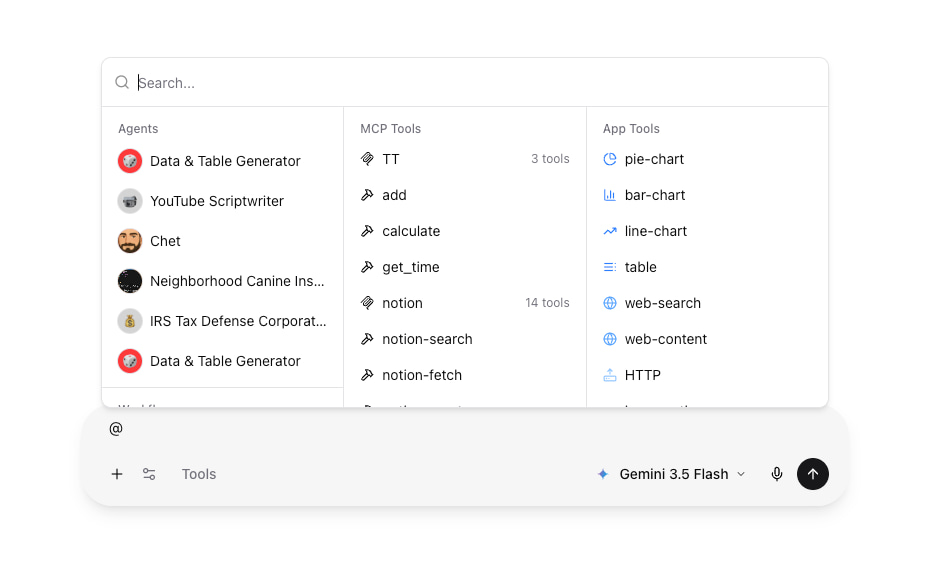
# Its tools auto-discover and become @-mentionable in chat
> @github list my open PRs
> @linear create an issue from this conversation
> @postgres how many signups did we get this week?Built on MCP. Talks to anything.
Connectors are powered by the Model Context Protocol (MCP), the open standard from Anthropic that gives AI models a uniform way to call external services — from GitHub and Slack to your internal databases. Hundreds of community-built MCP servers are already available, and every one of them works as a connector out of the box over SSE or Streamable HTTP. OAuth flow handling is built in, so authenticated integrations work without any custom glue code.
- Powered by MCP, the open standard from Anthropic
- Hundreds of community-built servers work out of the box
- SSE and Streamable HTTP transports supported
- OAuth flow handling built in
Build once. Reuse forever.
Paste a server URL under Workspace → Connectors, complete the OAuth flow if the connector needs one, and its tools are immediately available to every chat and agent in your organization. Write per-tool custom instructions to tell the model exactly how and when to use each capability — the same instructions apply whether the tool is called from a workflow, an agent, or a raw chat. Tools are auto-namespaced so there's no collision between connectors.
- Add a connector from Workspace → Connectors in under a minute
- Per-tool custom instructions for the model
- Pin specific connector tools to individual agents
- Tools auto-discovered and namespaced
Add connector
Name
Server URL
4 tools discovered
- linear__list_issues
- linear__create_issue
- linear__update_issue
- linear__search_projects
Visibility you can trust.
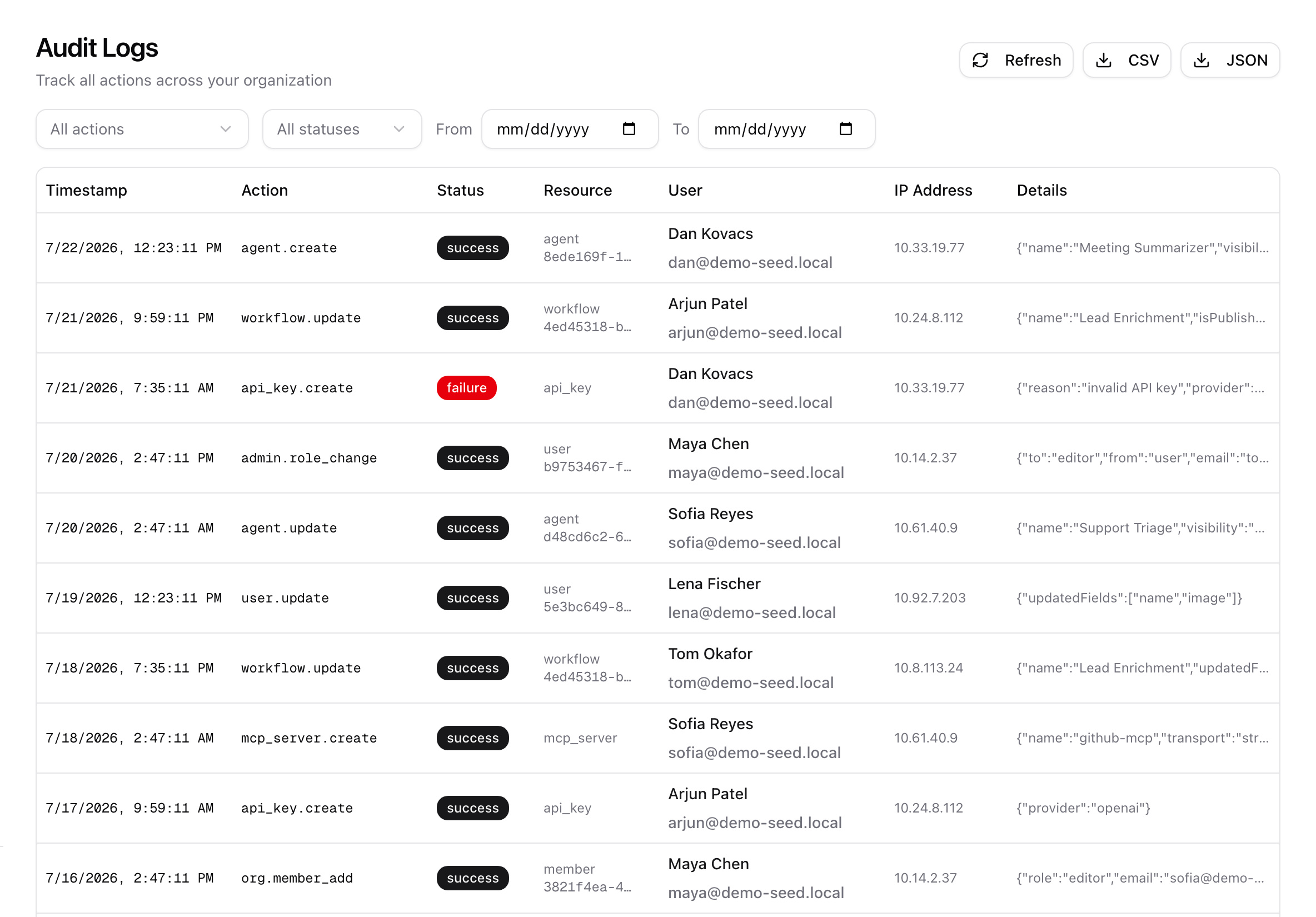
Every connector tool call is rendered inline in the conversation with the arguments sent and the result returned — you always see exactly what the model did. Connectors are scoped to your organization with per-server access checks: admins can switch Connectors off for the whole organization, and each server is either private to the person who added it or shared with the org. Connector changes — who added what, when — land in the org audit log.
- Every tool call rendered in the conversation
- See arguments and results inline
- Org-wide off switch for admins
- Per-server visibility: private or shared with the org
- Connector changes captured in the org audit log
Production-ready MCP host.
Transport agnostic
SSE and Streamable HTTP.
OAuth ready
Token flow built in for OAuth-protected connectors.
Per-org scope
Connectors never shared across organizations.
Custom instructions
Per-tool and per-connector hints to the model.
Audit logging
Connector changes captured in the org audit log.
Auto discovery
Tools appear in @-mention immediately after install.