Pipelines your whole team can call.
Drag nodes. Wire them up. Publish a pipeline that any teammate can run from chat — and any agent can use as a tool.
Four steps. No code required.
- 01
Draw
Drag nodes onto the canvas — LLM, Condition, Tool, HTTP.
- 02
Wire
Connect inputs to outputs. Branch on model decisions.
- 03
Publish
Make it callable from any chat with an @-mention.
- 04
Run
From the canvas, from chat once published, or on a schedule with Automations.
Drag, drop, deploy.
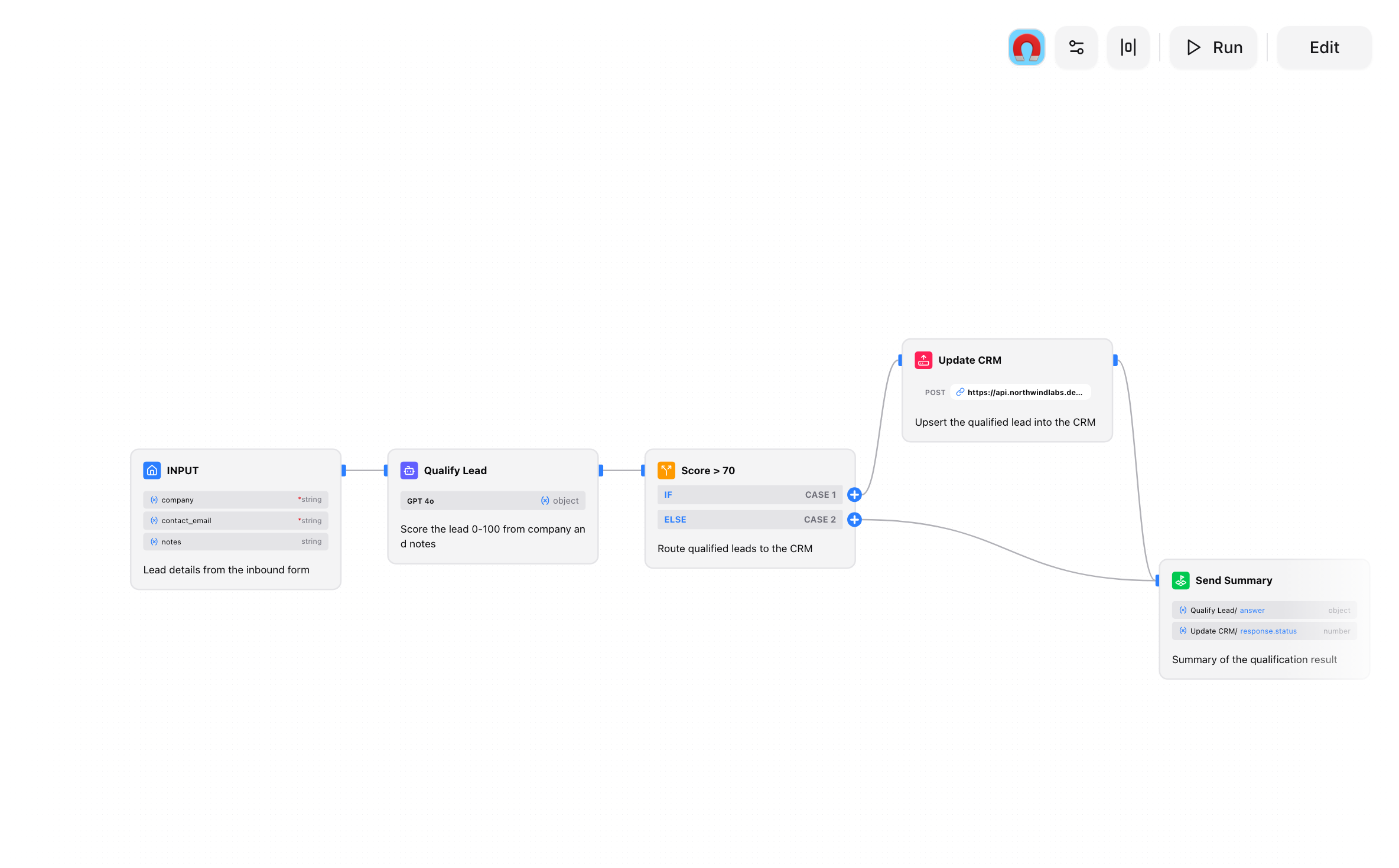
Build multi-step AI pipelines without writing orchestration code. Drop LLM, Condition, Tool, HTTP, and Template nodes onto the canvas, wire the outputs to the next inputs, and test from any node to see the full execution trace. Real-time validation catches cycles and missing connections before you run.
- Drag-and-drop nodes: LLM, Condition, Tool, HTTP, Template
- Branching paths based on model output
- Real-time validation and cycle detection
- Test from any node, see the full execution trace
Publish once, use everywhere.
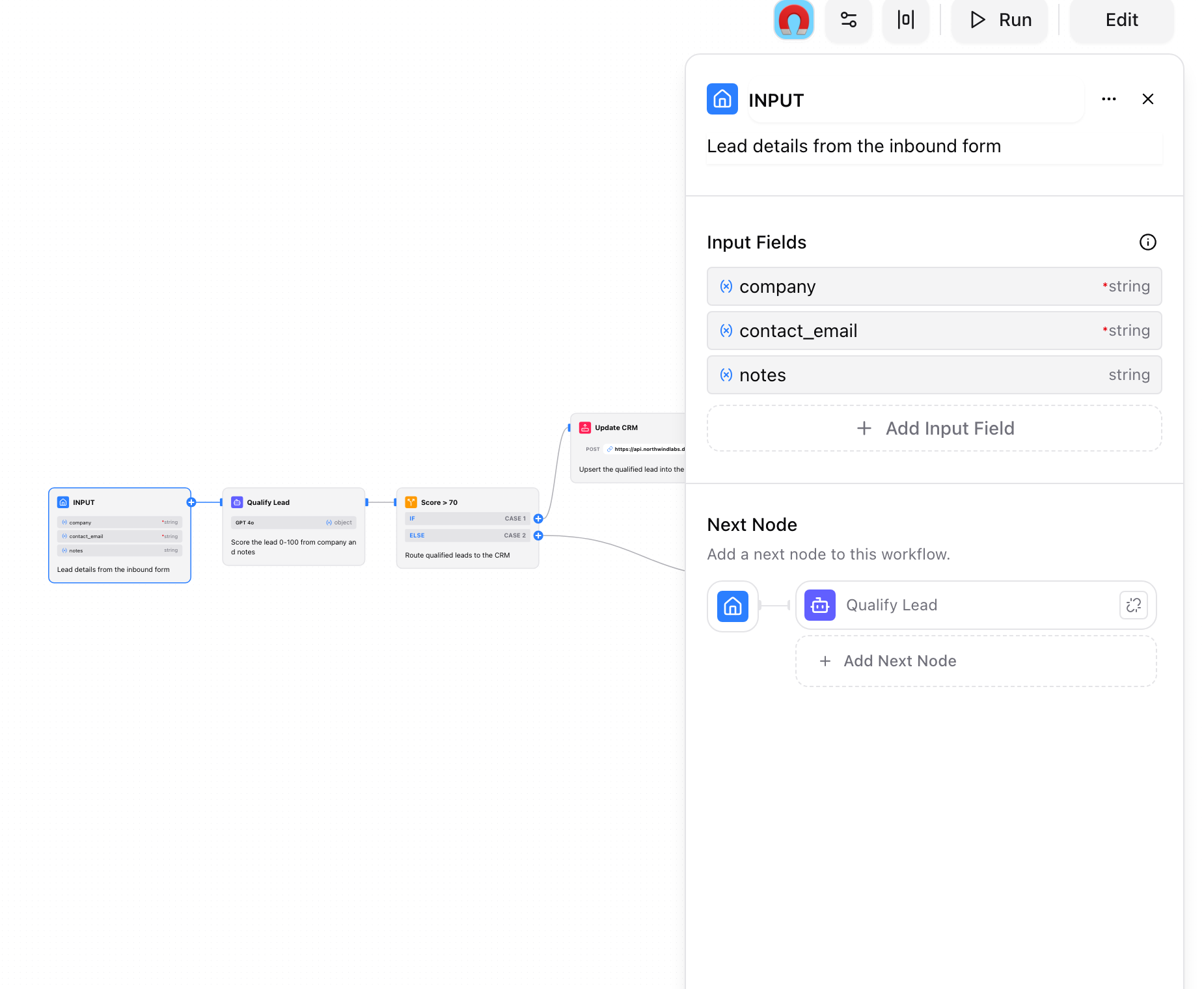
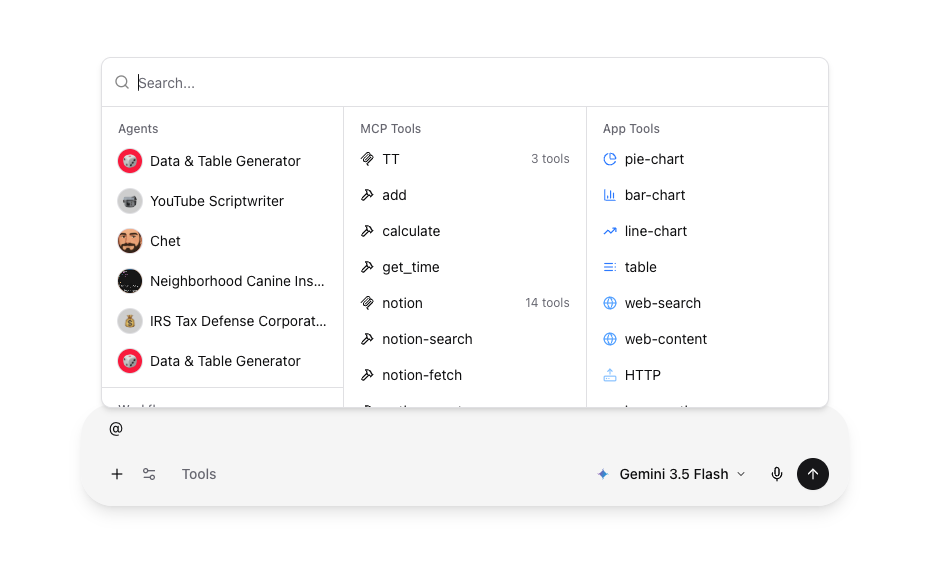
Publishing a workflow makes it a callable tool that any chat or agent can reach by @-mentioning its name. Your teammates get access to complex multi-step logic through a natural language interface, with typed inputs and outputs so the model knows exactly what to pass and what to expect back. Visibility is org-scoped, so you control who can run what.
- Publish to make workflows callable from chat
- @-mention by name from any conversation
- Inputs and outputs typed via schema
- Org-scoped visibility controls who can run it
Watch every step execute.
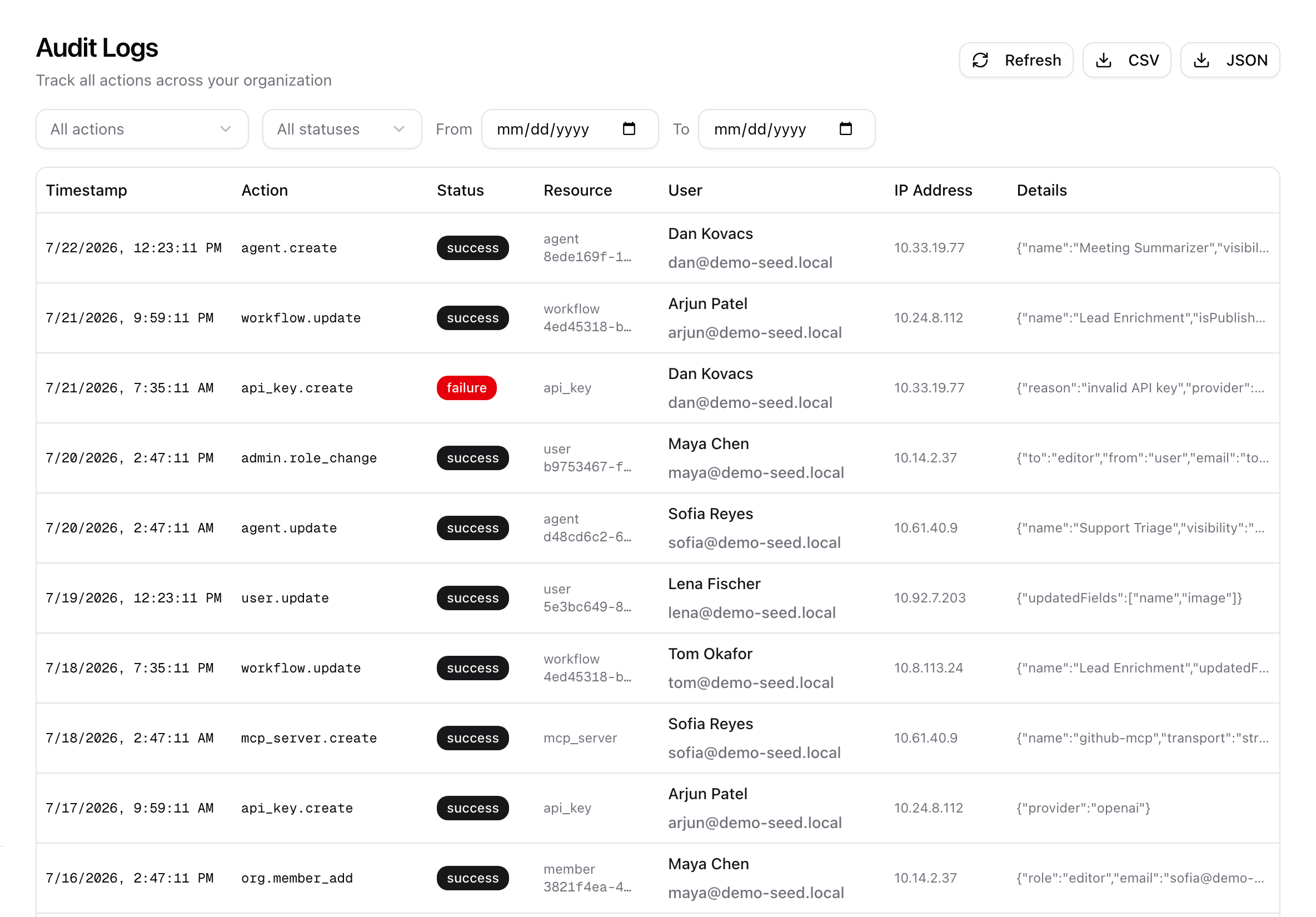
Runs stream node by node, so you watch each step produce its output in real time instead of staring at a spinner. When something misbehaves, the execution trace shows exactly which node received what and returned what. And because workflow changes are captured in the organization audit log, you always know who edited or published a pipeline, and when.
- Streaming runs — watch each node execute live
- Full execution trace for debugging
- Cycle detection before you ship
- Create, update, and publish events audit-logged
Put prompts and workflows on a schedule.
Automations run a workflow or a prompt for you — once, hourly, daily, weekly, or monthly, at a time in your timezone. A prompt can run as one of your agents and reach the connectors, workflows, and knowledge bases you @-mention in it. Every run lands in a chat thread you can open and continue. Set one up in Workspace → Automations, or schedule a prompt you've already sent straight from the chat.
- Once, hourly, daily, weekly, or monthly, in your timezone
- Run a workflow with set inputs, or a prompt — optionally as an agent
- Results delivered to a chat thread, plus an activity feed of every run
- Run now, pause, and resume at any time
- Turns itself off after three failures in a row and emails the owner
- Free: 5 automations per member, Team: 20, Enterprise: 100, all up to hourly
# Workspace → Automations → New Automation
Name      Weekly issue digest
Schedule  Weekly · Monday · 08:00 · Europe/Berlin
Action    Prompt
          @linear summarize the issues closed this week

# Or pick a workflow and its inputs instead.
# Each run lands in a chat thread you can continue.Composable, not brittle.
Node library
LLM, Condition, Tool, HTTP, Template, Input, Output.
Branching
Route based on conditions or model decisions.
Publish as a tool
Published pipelines are @-mentionable in chat.
Streaming runs
Watch each node execute in real time.
Variables & templates
Parameterize prompts and HTTP requests.
Test runs
Execute from any node while you build.
Scheduled runs
Run a workflow on a schedule with Automations: up to hourly on every plan.
Agent tools
Attach published workflows to an agent.